Nonprofit QuickBooks Chart of Accounts: What Should Be Set Up Correctly
A nonprofit’s QuickBooks file is only as useful as the structure behind it. If the chart of accounts is messy, too vague, or set up like a regular for-profit business, the reports may not give your board, executive director, treasurer, or finance committee the information they need.
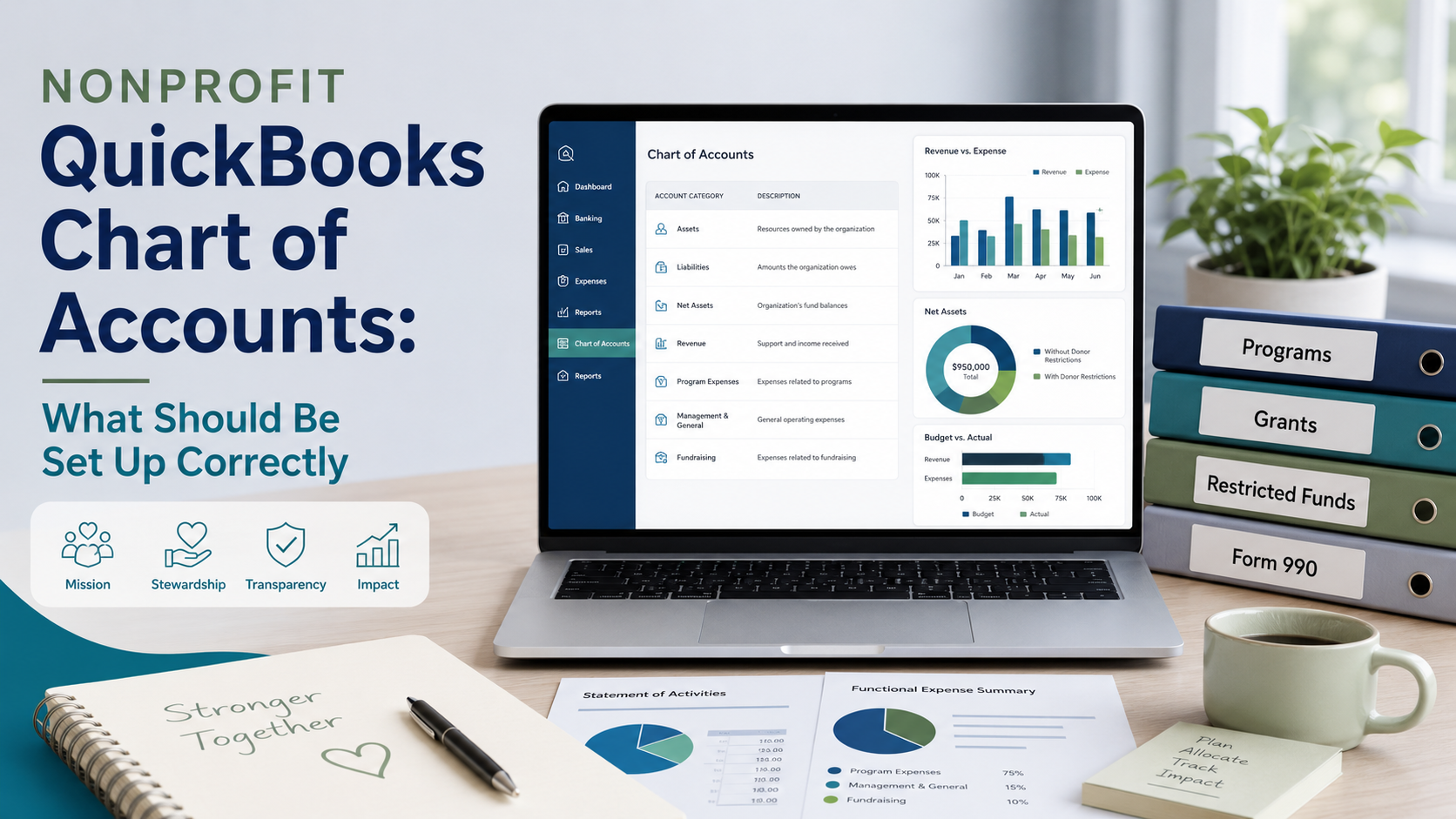
The chart of accounts is the foundation of your bookkeeping system. It controls how income, expenses, assets, liabilities, and net assets are organized. When it is set up well, your nonprofit can prepare cleaner board reports, track grants more clearly, review restricted funds, and support year-end work such as Form 990 preparation when applicable.
When it is set up poorly, QuickBooks can become confusing fast. Donations may be mixed with grants. Restricted funds may not be clear. Program expenses may be buried in general categories. Board reports may require manual spreadsheet cleanup every month.
This guide explains what a nonprofit QuickBooks chart of accounts should include, what to set up correctly, common mistakes to avoid, and when professional cleanup support may help.
If your nonprofit is reviewing its books before board reporting, year-end, or Form 990 preparation, you can download the free nonprofit bookkeeping checklist to help identify records and setup areas that may need attention.
What Is a Chart of Accounts?
A chart of accounts is the list of categories used in your accounting system. In QuickBooks, those categories organize every transaction that flows through the books.
For a nonprofit, the chart of accounts usually includes:
- Bank and cash accounts
- Accounts receivable or pledge receivable
- Fixed assets, if applicable
- Accounts payable and credit card balances
- Loan or liability accounts
- Net asset accounts
- Income categories
- Expense categories
A nonprofit chart of accounts should be simple enough to use consistently but detailed enough to support meaningful reporting. The goal is not to create hundreds of accounts. The goal is to organize the books so leadership can understand what is happening financially.
Why the Chart of Accounts Matters for Nonprofits
For nonprofits, bookkeeping is not just about recording deposits and expenses. It also supports board oversight, donor accountability, grant tracking, restricted fund reporting, and filing preparation.
A well-organized chart of accounts helps your organization:
- Prepare clearer financial reports for the board
- Separate donations, grants, program income, and other revenue
- Track expenses by meaningful categories
- Support budget vs actual reporting
- Review restricted funds and grant activity
- Reduce manual spreadsheet cleanup
- Make Form 990 support easier when annual filing applies
Small Business Accounting Inc. provides nonprofit bookkeeping support for organizations that need QuickBooks cleanup, chart of accounts organization, board financial reports, grant tracking, restricted fund bookkeeping, and Form 990 support.
What Should Be Set Up Correctly in a Nonprofit Chart of Accounts?
Every nonprofit is different, but most organizations should pay close attention to the following areas when setting up or cleaning up QuickBooks.
1. Bank and Cash Accounts
Each real bank account should usually have its own account in QuickBooks. This helps with bank reconciliations and gives leadership a clearer view of cash.
Common cash-related accounts may include:
- Operating checking
- Savings account
- Reserve account
- Money market account
- Credit card clearing or payment processor accounts, if needed
Do not use one generic bank account for multiple real accounts. That makes reconciliation harder and can weaken board reporting.
2. Accounts Receivable and Pledge Receivable
If your nonprofit records grants, pledges, or program fees before the money is received, receivable accounts may be needed.
These accounts help track amounts owed to the organization. However, they should be reviewed regularly so old or uncollectible amounts do not stay on the books forever.
3. Liabilities and Credit Cards
Liability accounts should be set up clearly so the board can understand what the organization owes.
These may include:
- Accounts payable
- Credit card balances
- Payroll liabilities
- Loans payable
- Deferred revenue, if applicable
Liability accounts should not be ignored. A nonprofit can have strong-looking income reports but still face cash strain if liabilities are not tracked properly.
4. Net Asset Accounts
Nonprofits do not use owner’s equity the same way a for-profit business does. Instead, nonprofit reporting generally focuses on net assets, including net assets with and without donor restrictions.
Your QuickBooks setup should be reviewed to make sure net asset accounts are not confusing, duplicated, or mixed with business equity accounts that do not fit nonprofit reporting.
For board reporting, it should be clear whether funds are unrestricted, donor-restricted, or internally designated by the board.
5. Income Categories
Income categories should help leadership understand where funding is coming from.
Common nonprofit income categories may include:
- Donations and contributions
- Grant income
- Program service revenue
- Membership dues
- Fundraising event revenue
- Sponsorship income
- Investment or interest income
- In-kind contributions, if applicable
Avoid using vague categories such as “miscellaneous income” for major funding sources. If the board cannot tell the difference between donations, grants, and program revenue, the reports are not giving enough useful information.
6. Expense Categories
Expense categories should be detailed enough to support management and board review, but not so detailed that every small purchase gets its own account.
Common expense categories may include:
- Payroll and wages
- Payroll taxes
- Contract labor
- Program supplies
- Rent or occupancy costs
- Utilities
- Insurance
- Professional fees
- Technology and software
- Fundraising costs
- Travel and mileage
- Training and education
- Office supplies
- Bank and merchant fees
The expense structure should support board review and, when applicable, year-end classification needs such as program, management and general, and fundraising activity.
7. Grant and Restricted Fund Tracking
The chart of accounts alone may not be enough to track grants properly. Depending on the nonprofit, QuickBooks may also need classes, projects, customers, locations, tags, or other tracking methods.
Grant and restricted fund reports should help leadership see:
- Grant or fund name
- Amount awarded or restricted
- Amount received
- Expenses charged to the grant or fund
- Remaining balance
- Reporting deadlines or spending restrictions
Clear grant tracking and restricted fund bookkeeping can help prevent restricted money from being confused with general operating funds.
QuickBooks Setup Checklist for Nonprofit Reporting
When reviewing your nonprofit QuickBooks chart of accounts, use this practical checklist:
- Each bank account in QuickBooks matches a real bank account
- Credit cards and loans are set up as liabilities
- Old inactive or duplicate accounts are reviewed
- Income categories separate donations, grants, program income, and fundraising
- Expense categories are clear and not overly detailed
- Restricted funds are tracked separately from unrestricted activity
- Grant reporting can be produced without rebuilding everything manually
- Budget categories align with board reports
- Reports can support board review and finance committee discussions
- Accounts are reconciled monthly
- Uncategorized income and expenses are reviewed regularly
- Reports are understandable to non-accountants
For a broader self-check before board reporting or filing season, you can use our free nonprofit bookkeeping checklist as part of your review process.
Common Nonprofit Chart of Accounts Mistakes
Many nonprofit QuickBooks files become messy because the chart of accounts was built over time without a clear reporting plan.
Using a For-Profit Chart of Accounts
A standard business chart of accounts may not fit nonprofit reporting. Nonprofits often need clearer tracking for donations, grants, restrictions, programs, and board reports.
Creating Too Many Accounts
Too many accounts can make reports long and hard to read. If every small expense has its own category, the board may lose sight of the big picture.
Using Too Few Accounts
Too few accounts can also create problems. If donations, grants, and program income are all mixed together, leadership cannot easily understand revenue sources.
Mixing Restricted and Unrestricted Funds
Restricted funds should be tracked clearly. If restrictions are not visible in reports, the board may assume money is available for general operations when it is not.
Letting Uncategorized Transactions Build Up
Uncategorized income and expenses should be reviewed regularly. Large balances in uncategorized accounts make financial reports less useful and can delay year-end cleanup.
Changing Account Names Without a Plan
Renaming, merging, or deleting accounts without understanding the impact can make historical reports harder to compare. Cleanup should be done carefully.
How the Chart of Accounts Supports Board Reports
A strong chart of accounts makes board reports easier to prepare and easier to understand.
Board-ready reports may include:
- Statement of financial position
- Statement of activities
- Budget vs actual report
- Cash balance summary
- Grant or restricted fund report
- Notes explaining major changes or unusual activity
Board financial reports are generally for internal management and board use unless otherwise agreed. They are not the same as CPA audit, review, or compilation reports.
If the chart of accounts is too messy, reports may need to be rebuilt manually outside QuickBooks. A cleaner setup can reduce that extra work and help the board receive more consistent information.
How the Chart of Accounts Supports Form 990 Readiness
The chart of accounts also affects year-end readiness. When income and expenses are organized clearly throughout the year, filing preparation can become more efficient.
The IRS states that Form 990, Form 990-EZ, or Form 990-PF is generally due by the 15th day of the 5th month after the end of an organization’s accounting period. The IRS also states that Form 8868 may be used to request an automatic 6-month extension for many exempt organization returns when filed properly and timely. Filing requirements, deadlines, and return types can vary depending on the organization’s facts, tax year, gross receipts, assets, and exempt status.
The IRS also notes that organizations that fail to file required annual returns or notices for three consecutive years can automatically lose tax-exempt status.
You can review IRS information about annual exempt organization return due dates, extensions of time to file exempt organization returns, and automatic revocation of exemption.
This article is for general educational purposes and is not legal advice. Nonprofits should confirm their specific filing requirements, deadlines, return type, and extension options with current IRS guidance and qualified professional support when needed.
If your nonprofit wants cleaner records for board reporting and filing preparation, Form 990 and board reporting support can help organize the bookkeeping before year-end.
Red Flags Your Nonprofit Chart of Accounts Needs Cleanup
Your nonprofit QuickBooks chart of accounts may need cleanup if any of these issues sound familiar:
- The board cannot understand the financial reports
- Reports include many unused, duplicate, or confusing accounts
- Donations, grants, and program revenue are mixed together
- Restricted funds are not tracked clearly
- Grant reports are built manually outside QuickBooks every month
- Budget reports do not match the chart of accounts
- Uncategorized income or expenses are building up
- Bank accounts are not reconciled monthly
- Form 990 preparation is delayed because categories are unclear
- Prior-year reports are difficult to compare to current reports
These issues are common, especially when several people have managed the books over time. The important thing is to clean up the structure before the reports become harder to use.
When to Get Professional Help
Some nonprofits can update their chart of accounts internally, especially if the books are simple and the organization has a clear reporting plan. But outside help may be useful when the QuickBooks file is already messy or when grants, restricted funds, and board reporting need to be improved.
Consider professional help if:
- QuickBooks was originally set up like a for-profit business
- The chart of accounts has too many duplicate or unused accounts
- Grant and restricted fund reporting is unclear
- The board needs cleaner monthly financial reports
- Budget vs actual reports do not match the board-approved budget
- Bank reconciliations are behind
- Form 990 preparation is stressful because categories are messy
- The organization wants a better setup going forward
If your QuickBooks file needs cleanup or your board reports are difficult to prepare, you can get help with your nonprofit books from Small Business Accounting Inc.
FAQ: Nonprofit QuickBooks Chart of Accounts
1. What is a nonprofit chart of accounts?
A nonprofit chart of accounts is the list of accounting categories used to organize assets, liabilities, net assets, income, and expenses. It helps create financial reports for management, board review, grant tracking, and year-end preparation.
2. Can QuickBooks be used for nonprofit accounting?
Yes. QuickBooks can be used for nonprofit bookkeeping, but it should be set up carefully so income, expenses, grants, restricted funds, and board reports are organized clearly.
3. What income accounts should a nonprofit have?
Common nonprofit income accounts include donations, contributions, grants, program service revenue, membership dues, fundraising event income, sponsorship income, and interest or investment income.
4. How should restricted funds be tracked in QuickBooks?
Restricted funds may be tracked using accounts, classes, projects, customers, locations, tags, or other methods depending on the nonprofit’s setup. The key is that restricted activity should be clearly separated from unrestricted activity.
5. When should a nonprofit clean up its chart of accounts?
A nonprofit should consider cleanup when reports are confusing, categories are inconsistent, grant balances are unclear, restricted funds are not visible, or board reports require too much manual spreadsheet work.
Need Help Getting Your Nonprofit Books Organized?
Small Business Accounting Inc. helps nonprofits with bookkeeping cleanup, QuickBooks Online organization, board financial reports, grant tracking, restricted fund bookkeeping, and Form 990 support.
Remote support is available nationwide. Hawaii and Oahu clients may request local appointment availability when appropriate.
Learn more about nonprofit bookkeeping support: https://smallbusinessaccountingfirm.com/nonprofit-bookkeeping/
Ready to request help? https://smallbusinessaccountingfirm.com/contact/
Want to start with a checklist? https://smallbusinessaccountingfirm.com/nonprofit-bookkeeping-checklist-pdf/