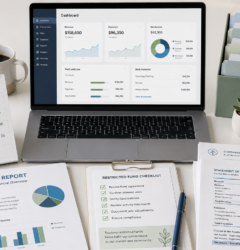
Nonprofit QuickBooks Cleanup: Signs Your QBO File Needs Help
QuickBooks Online can be a helpful tool for nonprofits, but only when the file is organized, reconciled, and set up to support the way your organization actually operates. When the QBO file gets messy, reports may look official but still be unreliable.
That can create stress for the board, executive director, treasurer, finance committee, grant manager, and anyone responsible for Form 990 support. The organization may have money in the bank but still not know how much is unrestricted, which grants are fully spent, whether expenses are coded correctly, or whether reports are ready for board review.
This guide explains the most common signs that your nonprofit QuickBooks Online file needs cleanup, why those issues matter, and when it may be time to get professional help.
Why Nonprofit QuickBooks Cleanup Matters
Nonprofit bookkeeping is not just about entering deposits and paying bills. Your accounting records should help leadership understand how funds were received, how funds were used, and whether the organization is meeting its reporting responsibilities.
For many nonprofits, clean QuickBooks records support:
- Board financial reports
- Budget versus actual review
- Grant tracking and restricted fund reporting
- Program, management, and fundraising expense reporting
- Bank and credit card reconciliation
- Form 990, 990-EZ, or 990-N support
- Donor, grantor, and leadership questions
- Monthly decision-making and cash flow planning
If the QBO file is disorganized, the nonprofit may spend too much time fixing reports manually, explaining old balances, or trying to recreate activity from bank statements. Cleanup helps turn QuickBooks into a useful management tool instead of a confusing data dump.
Sign 1: Your Bank Balances Do Not Match QuickBooks
One of the clearest signs your QBO file needs cleanup is when the bank balance in QuickBooks does not match the bank statement. This may happen because transactions were duplicated, deleted, added manually, imported incorrectly, or left unreconciled for months.
For nonprofits, bank reconciliation matters because leadership relies on reports to understand available cash. If the bank accounts are not reconciled, the board may be reviewing reports that do not reflect the organization’s real financial position.
Unreconciled accounts can also create problems when preparing Form 990 support, grant reports, or year-end financial summaries. Before reports can be trusted, bank and credit card accounts should be reconciled through the correct statement dates.
Sign 2: Income Is Coded Too Broadly
If most deposits are coded to one general income account, your nonprofit may not have enough detail. Donations, grants, membership dues, fundraising revenue, program service revenue, interest income, and other income should usually be separated in a way that supports reporting.
This is especially important when the organization receives grants or donor-restricted contributions. A grant deposit is not the same as an unrestricted donation. Program service revenue is not the same as fundraising income. Membership dues may need to be tracked separately from general contributions.
When income is too broad, the organization may not be able to answer basic questions such as: How much came from grants? How much came from donors? How much came from program activity? How much was restricted?
Sign 3: Restricted Funds Are Not Clear
A nonprofit can have a healthy bank balance and still have limited available cash if much of that money is restricted. Restricted funds may include grant funds, donor-restricted gifts, scholarship funds, capital campaign funds, church ministry funds, or board-designated reserves.
If QuickBooks does not help separate restricted and unrestricted activity, the board may not know how much money can be used for general operations. This can lead to budget confusion, cash flow stress, and accidental use of funds for the wrong purpose.
A clean QBO file should help the organization track restrictions in a practical way. Depending on the organization, this may involve classes, locations, projects, customers, tags, subaccounts, or supporting schedules.
Sign 4: Grant Reports Require Too Much Manual Work
Grant tracking should not require hours of rebuilding activity from bank statements every time a report is due. If your nonprofit must manually search through deposits, vendor payments, receipts, payroll records, and spreadsheets to prepare grant reports, the QBO file may not be set up correctly.
Grant-funded nonprofits often need to track the funding source, grant period, approved budget, allowable expenses, actual spending, and remaining balance. If those details are not organized throughout the year, grant reporting becomes stressful and time-consuming.
Cleanup can help align QuickBooks with the organization’s grant reporting needs so leadership can see grant activity more clearly and reduce last-minute reporting pressure.
Sign 5: The Chart of Accounts Is Confusing
The chart of accounts is the backbone of the QuickBooks file. If it is too generic, reports may not provide enough detail. If it is too cluttered, coding becomes inconsistent.
Common chart of accounts problems include duplicate accounts, vague categories, too many miscellaneous accounts, expense accounts that overlap, old accounts that are no longer used, and income categories that do not match how the nonprofit reports activity.
A nonprofit chart of accounts should be simple enough for consistent bookkeeping but detailed enough to support board reports, grant tracking, restricted fund summaries, and annual filing support.
Sign 6: Board Reports Are Built Outside QuickBooks
Some nonprofits rely on manual spreadsheets because QuickBooks reports are not useful. A spreadsheet can be helpful for analysis, but it becomes a concern when the board report does not tie back to QuickBooks or bank records.
If board reports are manually rebuilt every month, there is a higher risk of inconsistent formulas, missing transactions, outdated balances, or different versions of the truth. Board members need reports that are clear, timely, and tied to the underlying accounting records.
QuickBooks cleanup can help improve the report structure so board financial reports are easier to prepare and easier to explain.
Sign 7: Old Balance Sheet Items Cannot Be Explained
Old receivables, payables, payroll liabilities, loan balances, suspense accounts, negative asset balances, and uncleared checks can make nonprofit reports confusing. Sometimes these balances sit on the balance sheet for years because no one is sure whether they are real.
The balance sheet matters because it helps the board understand assets, liabilities, and net assets. If the balance sheet includes old or incorrect amounts, the organization may not have a clear picture of its financial position.
Cleanup often includes reviewing old balances, tracing them to support, and determining what should be corrected, reclassified, or documented.
Sign 8: Form 990 Support Feels Hard to Pull Together
Most tax-exempt organizations have an annual IRS filing requirement unless an exception applies. Depending on gross receipts, total assets, organization type, and other facts, a nonprofit may need Form 990-N, Form 990-EZ, Form 990, or another return.
If your QBO file is not organized, even basic annual filing support can become difficult. The organization may struggle to confirm gross receipts, year-end assets, revenue categories, program expenses, management expenses, fundraising expenses, grants, restricted funds, or compensation information.
Clean books do not replace professional filing review, but they make the filing process much more organized. They also help the board review financial information before the annual return or notice is prepared.
QuickBooks Cleanup Checklist for Nonprofit Leaders
If you are not sure whether your nonprofit QBO file needs cleanup, use this practical checklist. If several items apply, your organization may benefit from a structured review.
- Check reconciliation status. Confirm each bank and credit card account has been reconciled through the most recent statement.
- Review uncategorized transactions. Look for uncategorized income, uncategorized expenses, ask-my-accountant balances, and suspense accounts.
- Scan the chart of accounts. Identify duplicate, vague, outdated, or overlapping accounts.
- Review income categories. Separate donations, grants, program income, fundraising income, membership dues, and other revenue where appropriate.
- Review restricted funds. Confirm whether donor restrictions, grants, scholarship funds, and board-designated funds are tracked clearly.
- Compare QuickBooks to board reports. Make sure the reports presented to the board tie back to the accounting records.
- Review grant reporting needs. Confirm whether QuickBooks can show grant income, grant expenses, budget status, and remaining balances.
- Check old balance sheet items. Review old receivables, payables, liabilities, and negative balances.
- Review payroll and contractor coding. Make sure wages, payroll taxes, reimbursements, and contractor payments are recorded clearly.
- Review prior-year filing support. Compare the books to prior Form 990 filings or other annual reporting records.
- Document the cleanup plan. Prioritize the most important corrections instead of making random changes.
Common Mistakes That Make QBO Cleanup Harder
QuickBooks cleanup becomes harder when organizations make changes without a plan. Before editing old transactions, consider whether the changes affect prior reports, grants, restricted funds, or annual filing support.
Common mistakes include:
- Deleting old transactions without understanding why they were entered
- Changing reconciled transactions without reviewing the impact
- Creating too many new accounts instead of cleaning the chart of accounts
- Combining restricted and unrestricted funds into one income category
- Using spreadsheets that do not match QuickBooks
- Ignoring old balance sheet balances
- Waiting until Form 990 preparation to fix the books
- Assuming the bank feed imported everything correctly
- Using “miscellaneous” or “uncategorized” accounts too often
A thoughtful cleanup process should protect the organization’s reporting history while improving the accuracy and usefulness of the file going forward.
When to Get Professional Help
Some nonprofit QuickBooks issues can be fixed internally. But professional help may be worth considering when the cleanup affects board reporting, restricted funds, grant tracking, payroll, contractor reporting, or Form 990 support.
Consider getting help if:
- Your QBO file has not been reconciled for several months or years.
- The board cannot rely on the financial reports.
- Grant reports require manual reconstruction.
- Restricted funds are not separated from unrestricted funds.
- Your chart of accounts is confusing or inconsistent.
- Prior-year records do not match current QuickBooks reports.
- You recently changed treasurers, bookkeepers, or executive directors.
- You are preparing for Form 990 support and the books are not ready.
- You want a cleaner monthly bookkeeping system going forward.
Professional cleanup can help your nonprofit move from reactive bookkeeping to a more organized system. The goal is not just to fix old transactions. The goal is to help the board and leadership understand the numbers with more confidence.
Small Business Accounting Inc. provides nonprofit QuickBooks cleanup, bookkeeping cleanup, QuickBooks Online organization, board financial report support, grant tracking, restricted fund bookkeeping, and Form 990 support for nonprofits nationwide.
Board report note: Board financial reports prepared as part of bookkeeping support are generally for internal management and board use unless a different engagement is specifically agreed to in writing. Small Business Accounting Inc. does not claim to provide CPA audit, review, or compilation services.
FAQ: Nonprofit QuickBooks Cleanup
1. How do I know if my nonprofit QuickBooks Online file needs cleanup?
Your QBO file may need cleanup if bank accounts are not reconciled, reports do not match bank statements, restricted funds are unclear, grant reports require manual work, or the board cannot rely on the financial reports.
2. Can QuickBooks Online track nonprofit grants and restricted funds?
Yes, QuickBooks Online can be organized to help track grants, programs, and restricted funds when the setup is designed around the organization’s reporting needs. The right method depends on the nonprofit’s size, funding sources, and reporting requirements.
3. Should we clean up QuickBooks before preparing Form 990?
Yes, if the books are incomplete, unreconciled, or unclear. Clean bookkeeping helps support gross receipts, year-end assets, revenue categories, expenses, grant activity, restricted funds, and board review before annual filing support is prepared.
4. What reports should a nonprofit board review after cleanup?
Many boards benefit from a profit and loss statement, balance sheet, budget versus actual report, restricted fund summary, grant activity report, and bank reconciliation status. The best report package depends on the organization’s programs and funding sources.
5. Can nonprofit QuickBooks cleanup be done remotely?
Yes. Many nonprofit QBO cleanup projects can be handled remotely using QuickBooks Online access, bank statements, prior reports, grant records, board reports, and organized follow-up questions.
Simple Compliance Note
This article provides general educational information and is not legal advice. Nonprofit filing requirements, tax-exempt status issues, Form 990 obligations, state requirements, and reporting deadlines can vary depending on the organization’s tax year, exemption type, gross receipts, assets, activities, and specific facts. Always confirm current IRS and state requirements before filing or making compliance decisions.
Need help getting your nonprofit books organized?
Small Business Accounting Inc. helps nonprofits with bookkeeping cleanup, QuickBooks Online organization, board financial reports, grant tracking, restricted fund bookkeeping, and Form 990 support. Remote support is available nationwide. Hawaii and Oahu clients may request local appointment availability when appropriate.