QuickBooks Online Cleanup for Nonprofits: Common Problems to Fix
Messy nonprofit books can create real stress for the people trying to lead the organization. The board wants clear reports. The executive director needs reliable numbers. The treasurer may be trying to answer questions with incomplete records. Grant reports may be due. Form 990 may be approaching. Meanwhile, QuickBooks Online may be full of uncategorized transactions, duplicate income, old balances, and accounts that no one fully understands.
If this sounds familiar, your nonprofit is not alone. Many small nonprofits grow faster than their bookkeeping system. What started as a simple bank account and a few donations can become grants, restricted funds, payroll, reimbursements, fundraising events, program expenses, and board reporting requirements.
The good news is that messy books can often be cleaned up with a clear process. This guide explains common QuickBooks Online cleanup problems for nonprofits, why they matter, and when your organization should consider professional bookkeeping support.
Why QuickBooks Cleanup Matters for Nonprofits
QuickBooks Online is a useful tool, but it only works well when the setup and transaction coding match how the nonprofit actually operates. If the chart of accounts is confusing, bank accounts are not reconciled, or restricted funds are not tracked clearly, the reports may look official but still be unreliable.
For nonprofits, bookkeeping cleanup is not just about making the numbers neat. Clean books help the organization:
- Prepare clearer board financial reports
- Track donations, grants, and restricted funds
- Understand program, management, and fundraising costs
- Support Form 990 preparation
- Respond to grantor or donor questions
- Make better budgeting and cash flow decisions
- Reduce confusion when leadership changes
When the books are not organized, leadership may not know whether the organization is financially healthy, whether grant money was spent properly, or whether reports are ready for the board. Cleanup gives the organization a stronger foundation.
Common QuickBooks Online Problems Nonprofits Need to Fix
Most nonprofit QuickBooks cleanup projects involve a combination of setup issues, transaction coding problems, reconciliation gaps, and reporting inconsistencies. Below are some of the most common problems to look for.
1. Bank and Credit Card Accounts Are Not Reconciled
Bank reconciliation is one of the first areas to review. If QuickBooks does not match the bank statements, the reports may be wrong even if every transaction appears to be entered.
Unreconciled accounts can hide duplicate transactions, missing deposits, deleted entries, old outstanding checks, or expenses posted to the wrong period. For nonprofits, this can affect board reports, grant reporting, and annual filing preparation.
2. Donations and Grants Are Mixed Together
Donations, grants, membership dues, program revenue, fundraising income, and other receipts should not all be placed into one generic income category. The organization needs to know where money came from and whether it was restricted for a specific purpose.
If grant deposits are mixed with general donations, it becomes harder to prepare grant reports, explain restricted fund balances, or support financial information used for Form 990 reporting.
3. Restricted Funds Are Not Tracked Clearly
Restricted fund bookkeeping is one of the biggest issues for grant-funded nonprofits, scholarship funds, foundations, churches, and community organizations. Some money may be restricted by a donor, grant agreement, board action, or program purpose.
If restricted funds are not tracked separately, the board may not know how much money is truly available for general operations. This can lead to cash flow problems, reporting mistakes, or accidental use of restricted money for unrelated expenses.
4. The Chart of Accounts Is Too Generic or Too Messy
A nonprofit chart of accounts should be detailed enough to support useful reporting, but not so detailed that no one can use it consistently. Some QuickBooks files have too many overlapping accounts, while others have categories that are too broad.
For example, putting most expenses into “Miscellaneous” or “Program Expense” may not give the board enough information. On the other hand, having ten similar supply accounts can create confusion. Cleanup often includes simplifying and reorganizing the chart of accounts so reports are easier to understand.
5. Program, Management, and Fundraising Expenses Are Not Separated
Many nonprofits need to understand how expenses support programs, administration, and fundraising. If all costs are coded only by vendor or general expense type, leadership may not be able to see how money was used across the organization’s mission areas.
Clean reporting can help the board understand whether spending aligns with the mission and whether the organization can explain its financial activity clearly to donors, grantors, and tax preparers.
6. Old Balances Are Still Sitting on the Balance Sheet
Old receivables, payables, uncleared checks, payroll liabilities, loan balances, and suspense accounts can make nonprofit reports confusing. Sometimes these balances have been carried forward for years because no one knew whether they were real.
Balance sheet cleanup is important because board members may rely on these reports to understand cash, liabilities, restricted funds, and net assets. A profit and loss report alone does not tell the full story.
7. Transactions Are Posted to the Wrong Year
Nonprofits often need reports by fiscal year, grant year, calendar year, or board reporting period. If transactions are posted to the wrong date, the organization may show income or expenses in the wrong period.
This can be especially problematic when preparing annual financial reports or Form 990 support. IRS filing deadlines and annual reporting rules can vary depending on the organization’s tax year, so accurate dating matters.
8. QuickBooks Classes, Locations, or Tags Are Not Used Consistently
QuickBooks Online can track programs, funds, departments, or locations when set up properly. However, if classes or locations are used inconsistently, reports can become misleading.
For example, some grant expenses may be coded to a program while others are left blank. Some fundraising transactions may be tagged correctly while others are not. Cleanup may require reviewing the tracking structure and applying it consistently going forward.
QuickBooks Cleanup Checklist for Nonprofit Leaders
If you are a board member, treasurer, executive director, or finance committee member, you do not need to become a bookkeeper to spot warning signs. Use this checklist to review whether your QuickBooks Online file may need cleanup.
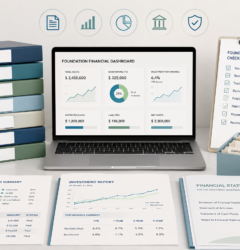
- Confirm all bank and credit card accounts are connected or manually updated. Make sure every active account is included in QuickBooks.
- Review bank reconciliations. Check whether each account has been reconciled through the most recent statement.
- Look for uncategorized income or expenses. Large balances in uncategorized accounts usually mean the reports are not ready.
- Review the chart of accounts. Identify duplicate, vague, or unnecessary accounts.
- Separate donations, grants, and program revenue. Income categories should help the board understand funding sources.
- Review restricted funds. Confirm whether donor-restricted, grant-restricted, or board-designated funds are tracked clearly.
- Check old balance sheet items. Look for old receivables, payables, suspense accounts, and negative balances.
- Review payroll and contractor payments. Confirm that wages, payroll taxes, reimbursements, and contractor payments are coded properly.
- Review program and fundraising activity. Make sure income and expenses are connected to the correct activities where appropriate.
- Compare QuickBooks reports to board reports. If board reports are created manually outside QuickBooks, confirm the numbers agree.
- Review prior-year Form 990 support. Make sure the bookkeeping can support annual filing information.
- Create a cleanup plan. Prioritize the most important issues instead of trying to fix everything randomly.
Red Flags That Your Nonprofit Books Need Cleanup
Some bookkeeping issues are easy to overlook because the reports still generate inside QuickBooks. But if the underlying data is messy, the reports may not be reliable. Watch for these red flags:
- The bank balance in QuickBooks does not match the bank statement.
- The board does not receive regular financial reports.
- Reports show large amounts in uncategorized income or expenses.
- Restricted funds are tracked in separate spreadsheets but not tied to QuickBooks.
- Grant reports require hours of manual reconstruction.
- The chart of accounts has duplicate or confusing categories.
- The balance sheet includes old amounts no one can explain.
- Income is coded inconsistently from month to month.
- Expenses are not separated by program, management, or fundraising purpose.
- Prior-year filings were prepared using estimates or incomplete records.
- The organization has changed treasurers or bookkeepers without a proper handoff.
- Leadership is unsure whether the books are ready for Form 990 preparation.
If several of these apply, cleanup may be more than a quick correction. Your organization may need a structured review of the accounting file, bank statements, reports, and filing support.
How Clean Books Help With Form 990 Preparation
Most tax-exempt organizations have some type of annual IRS filing requirement unless an exception applies. Depending on the organization’s gross receipts, total assets, and facts, many organizations may file Form 990-N, Form 990-EZ, or the full Form 990.
The IRS generally allows many small organizations with annual gross receipts normally $50,000 or less to submit Form 990-N. Organizations with gross receipts under $200,000 and total assets under $500,000 may generally be eligible to file Form 990-EZ instead of the full Form 990. Larger organizations may need the full Form 990. These thresholds and filing requirements should always be confirmed based on current IRS guidance and the organization’s specific facts.
Clean bookkeeping helps support annual filing because it provides better answers to important questions:
- What were the organization’s total gross receipts?
- What were the year-end assets?
- How much income came from contributions, grants, programs, or fundraising?
- How were expenses used across programs, administration, and fundraising?
- Were restricted funds tracked properly?
- Are compensation, reimbursements, and contractor payments recorded clearly?
- Do the books agree with bank statements and board reports?
When books are messy, the annual filing process can become stressful. Cleanup before tax season gives the organization more time to review the numbers, ask questions, and prepare support for the filing.
Compliance note: This article provides general educational information and is not legal advice. Filing requirements, deadlines, penalties, and extension options can vary depending on the organization’s tax year, exempt status, organization type, gross receipts, assets, and facts. Always confirm current IRS and state requirements before filing.
When to Get Professional Help
Some nonprofits can handle light QuickBooks cleanup internally. But professional help may be worthwhile when the issues affect board reporting, grant reporting, restricted funds, or annual filing support.
Consider getting help if:
- Your books have not been reconciled for several months or years.
- Your nonprofit has grants or restricted funds that are not tracked clearly.
- The board needs reliable financial reports but QuickBooks reports are confusing.
- You are preparing for Form 990, 990-EZ, or 990-N and are unsure whether the books are ready.
- Your treasurer or bookkeeper changed and the file was not properly handed off.
- You have old balance sheet items that no one can explain.
- You use spreadsheets outside QuickBooks because the QuickBooks file is not reliable.
- You need a cleaner system for monthly nonprofit bookkeeping going forward.
Professional cleanup can help your nonprofit move from reactive bookkeeping to a more organized monthly process. The goal is not just to fix the past. The goal is to create a system that helps leadership understand the numbers going forward.
Small Business Accounting Inc. provides nonprofit bookkeeping support, QuickBooks Online organization, board financial report support, grant tracking, restricted fund bookkeeping, and Form 990 support for nonprofits nationwide.
Board report note: Board financial reports prepared as part of bookkeeping support are generally for internal management and board use unless a different engagement is specifically agreed to in writing. Small Business Accounting Inc. does not claim to provide CPA audit, review, or compilation services.
FAQ: QuickBooks Online Cleanup for Nonprofits
1. How do I know if my nonprofit QuickBooks file needs cleanup?
Your QuickBooks file may need cleanup if bank accounts are not reconciled, reports do not match bank statements, restricted funds are unclear, income is miscoded, or the board cannot rely on the reports for decision-making.
2. Can QuickBooks Online track grants and restricted funds for nonprofits?
Yes, QuickBooks Online can be organized to help track grants, restricted funds, programs, and departments when the setup is planned carefully. The right setup depends on the organization’s reporting needs and how the funds must be tracked.
3. Should we clean up QuickBooks before preparing Form 990?
Yes, if the books are incomplete or unreconciled. Clean books can help support gross receipts, expense categories, year-end assets, grant activity, restricted fund balances, and other information needed for annual nonprofit filing support.
4. What reports should a nonprofit board review each month?
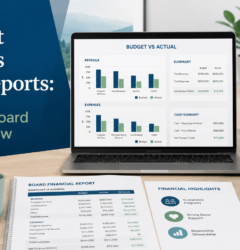
Many boards review a profit and loss statement, balance sheet, budget versus actual report, bank reconciliation status, restricted fund summary, and grant activity report. The exact reports depend on the organization’s size, programs, and funding sources.
5. Can a nonprofit get remote QuickBooks cleanup help?
Yes. Many nonprofit bookkeeping cleanup projects can be handled remotely using QuickBooks Online, secure document sharing, bank statements, prior reports, and organized follow-up questions. Small Business Accounting Inc. provides remote support nationwide.
Need help getting your nonprofit books organized?
Small Business Accounting Inc. helps nonprofits with bookkeeping cleanup, QuickBooks Online organization, board financial reports, grant tracking, restricted fund bookkeeping, and Form 990 support. Remote support is available nationwide. Hawaii and Oahu clients may request local appointment availability when appropriate.